A mobile app that lets service teams and store employees answer customers on every messaging channel, with AI help, from wherever they are.
Company
1440
My Role
Lead Designer: UX, UI, interaction and visual design
Team
Lead designer, product manager, development team
The Challenge
Customers message from everywhere.
Shoppers reach out on WhatsApp, Apple Messages for Business, Google Business Messages, Instagram, TikTok and SMS to ask about orders, reservations and products. Messaging Studio brings those channels into Salesforce, but the people answering were tied to a desktop console.
Too Many Channels
Every channel has its own rules and features, and customers expect a fast, personal reply on all of them.
Stuck at a Desk
Store employees and clienteling reps spend their day on the floor, not in front of a console.
Speed Matters
New conversations need to be picked up in minutes, or the customer moves on.
The Goal
One place to handle every customer conversation, wherever you are.
The app had to feel native on a phone, stay in sync with Salesforce and make AI assistance easy to use without getting in the way.
Personas
Who it’s for
Service Rep
Handles a steady stream of order and reservation questions, working alongside AI that drafts replies and handles routine requests.
Clienteling Rep
Builds relationships with regular customers from the store floor, sharing products, photos and recommendations.
Customer
Messages on the channel they already use and expects a quick, helpful answer from a person or AI.
The Solution
Four core experiences
1
Inbox
Every channel in one list
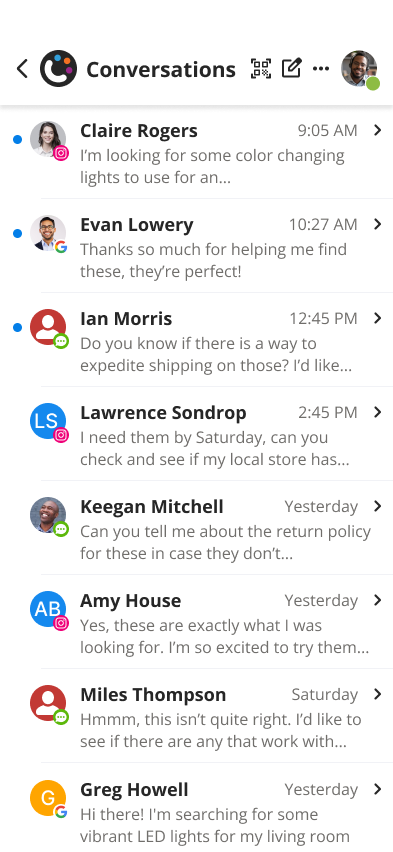
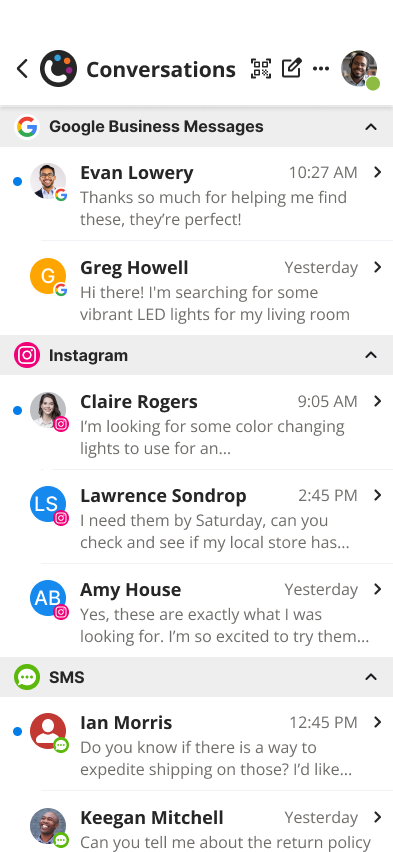
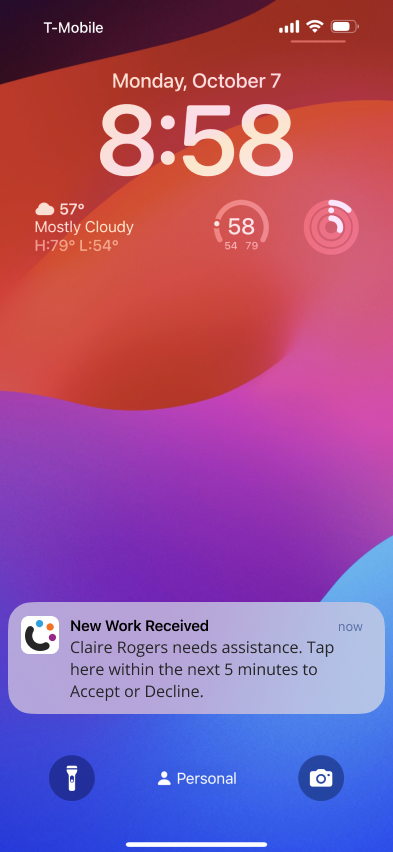
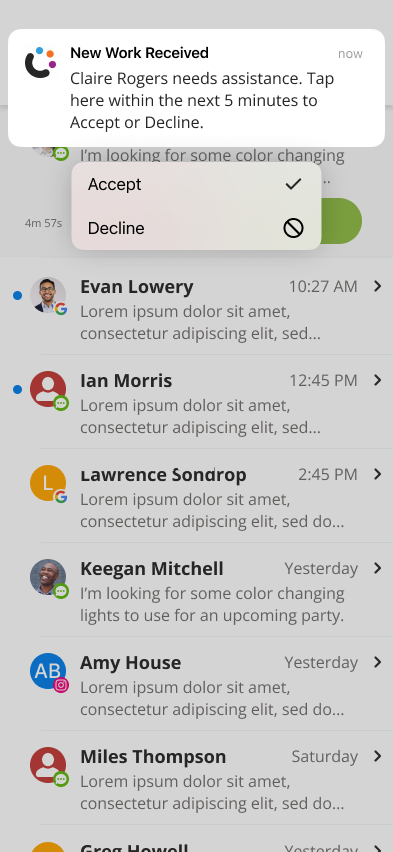
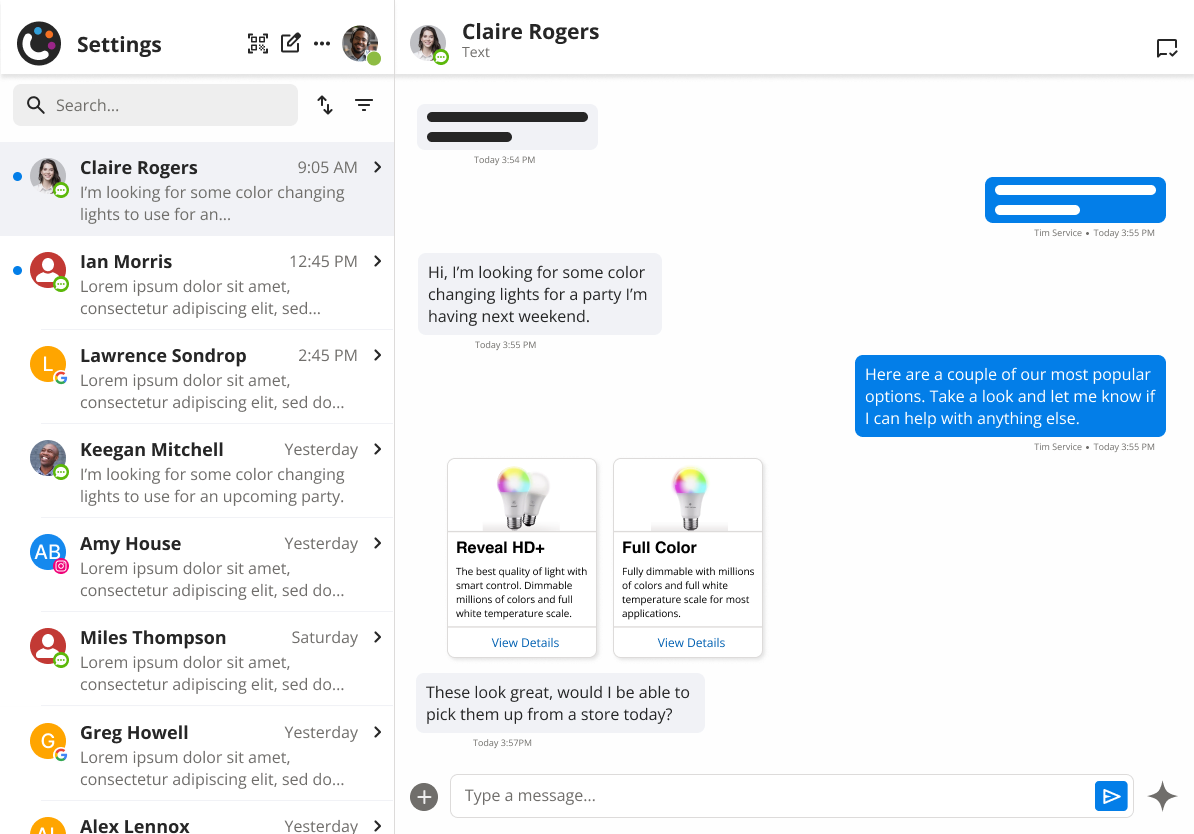
Conversations from every channel live in a single inbox, with channel badges on each avatar and options to sort by time, name or channel. New work arrives as a notification, even on the lock screen, and can be accepted or declined in a tap.
Unified inbox
Sorted by channel
New work on the lock screen
Accept or decline in the app
2
Messaging
Conversations that feel native
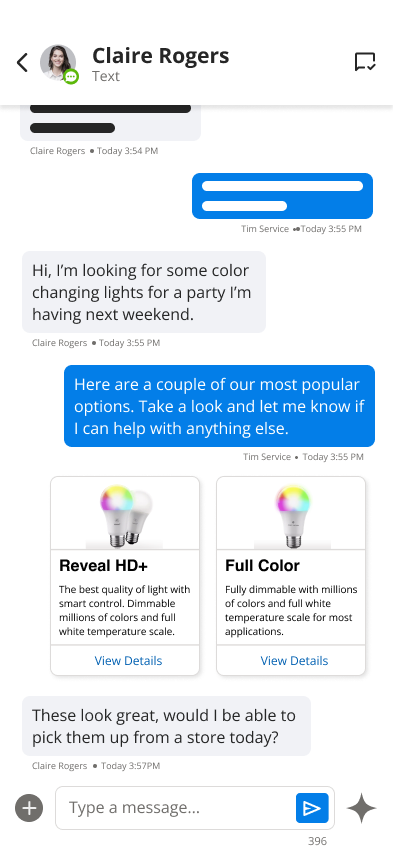
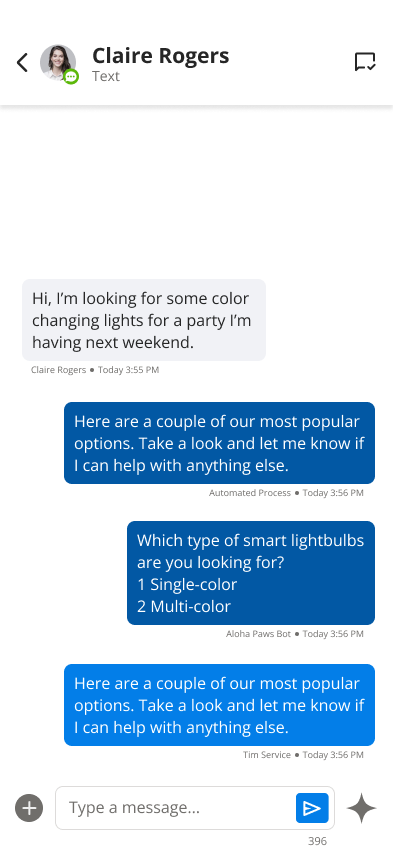
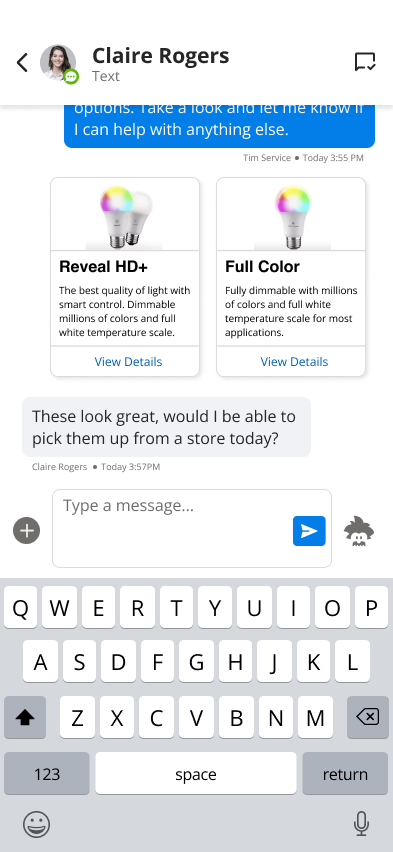
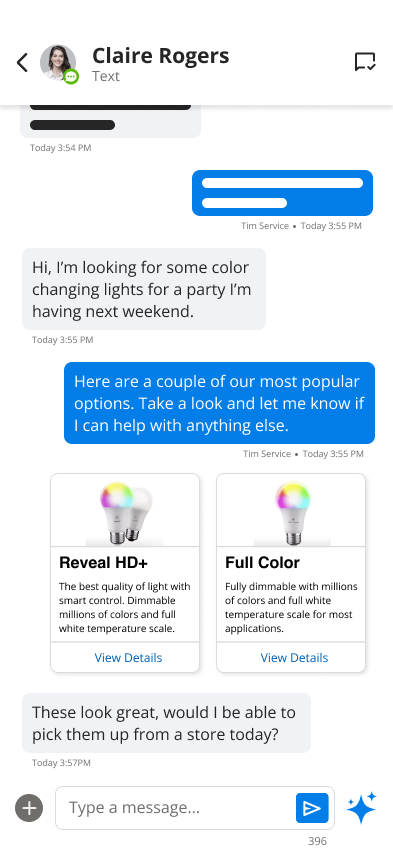
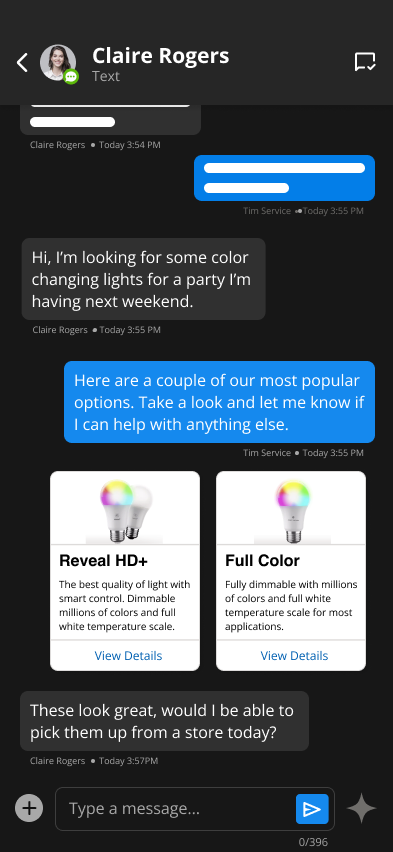
The conversation view supports rich content like product cards, and makes it clear who’s talking, whether that’s the customer, an automated bot or the agent.
Rich product cards
Customer, bot and agent
Composing a reply
3
AI
AI-suggested responses
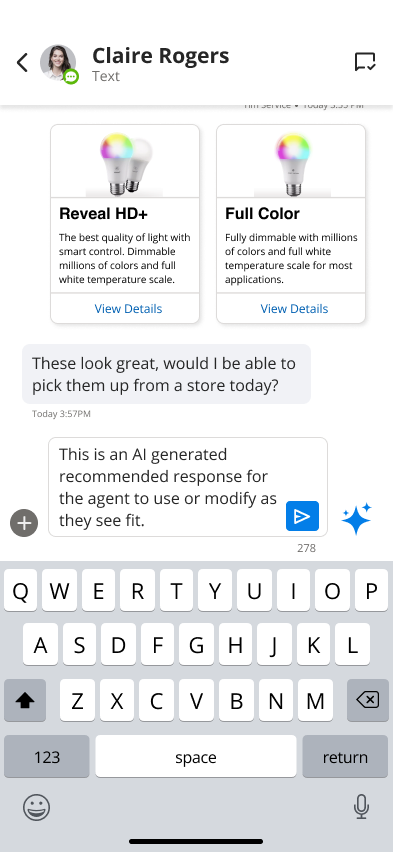
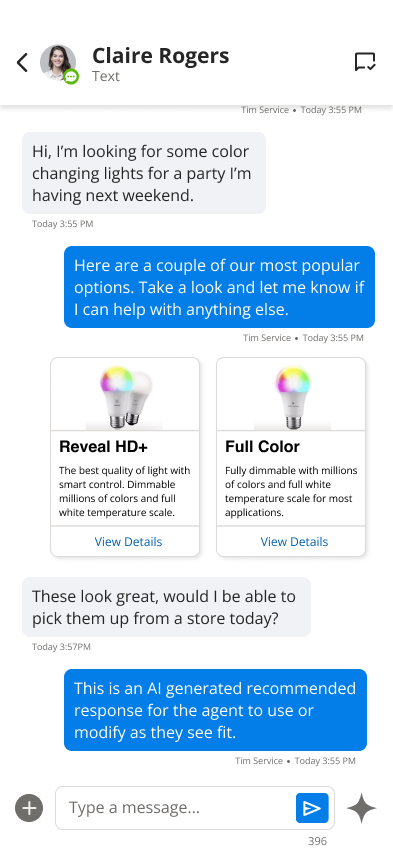
When AI has a suggestion, the AI icon shimmers and turns blue. One tap drops the response into the message box, where the agent can send it as is or edit it first. Tapping again cycles through other suggestions.
Suggestion available
Tap to fill and edit
Sent like any other message
4
Cases
Cases in the conversation
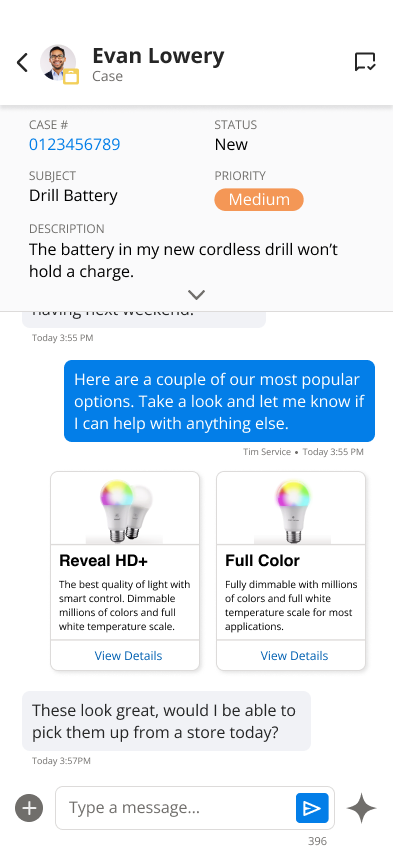
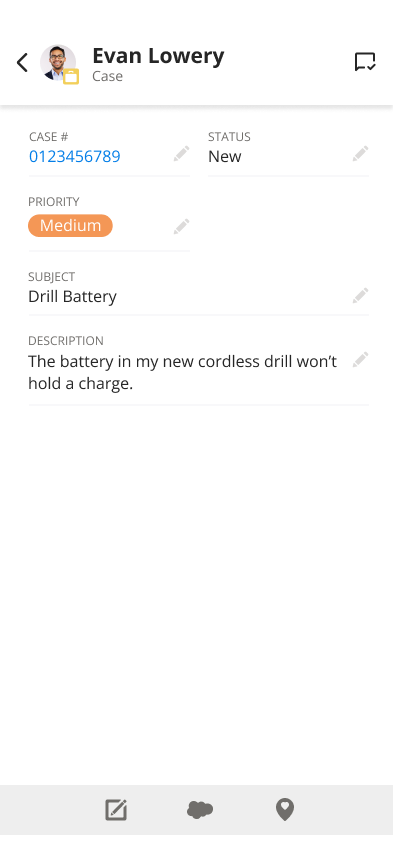
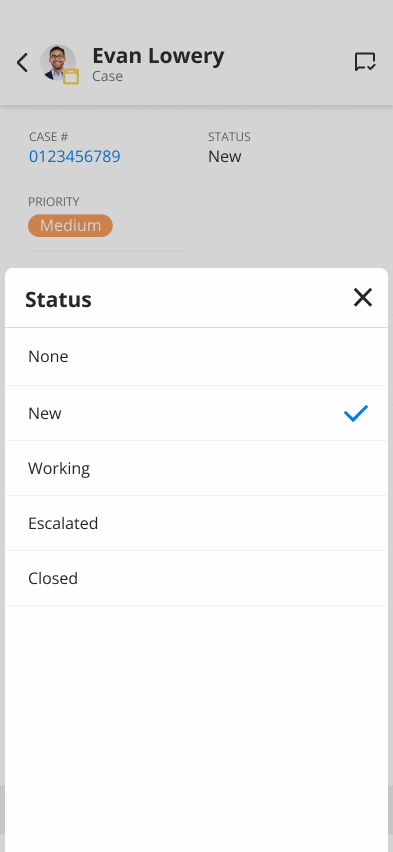
When a conversation is tied to a Salesforce case, the case details sit at the top of the chat. Agents can open the record and update status, priority or the description without leaving the app.
Case at a glance
Case record
Quick edits
Dark Mode & Tablet
Light, dark and larger screens
Every screen was designed for light and dark mode. On tablets, the layout expands to show the inbox and conversation side by side.
Light
Dark
Tablet
Outcome
Shipped and in use
The 1440 Messaging Studio mobile app has shipped and is in use with several customers in the home improvement and hospitality sectors. The app gives their service teams and store employees one place to handle customer conversations across channels, wherever they happen to be.
Let’s talk.
Questions about this project, or just want to compare notes? Reach out.