
welcome
Hi, I’m Daryn Cox!
I’m all about solving problems in creative ways to achieve meaningful user experiences. With a broad skill set and a strong background in visual design and typography I care about the details and consider the end user with every decision I make. I’m comfortable wearing multiple hats and love working both independently and collaboratively on creative projects of all types.
Featured Project
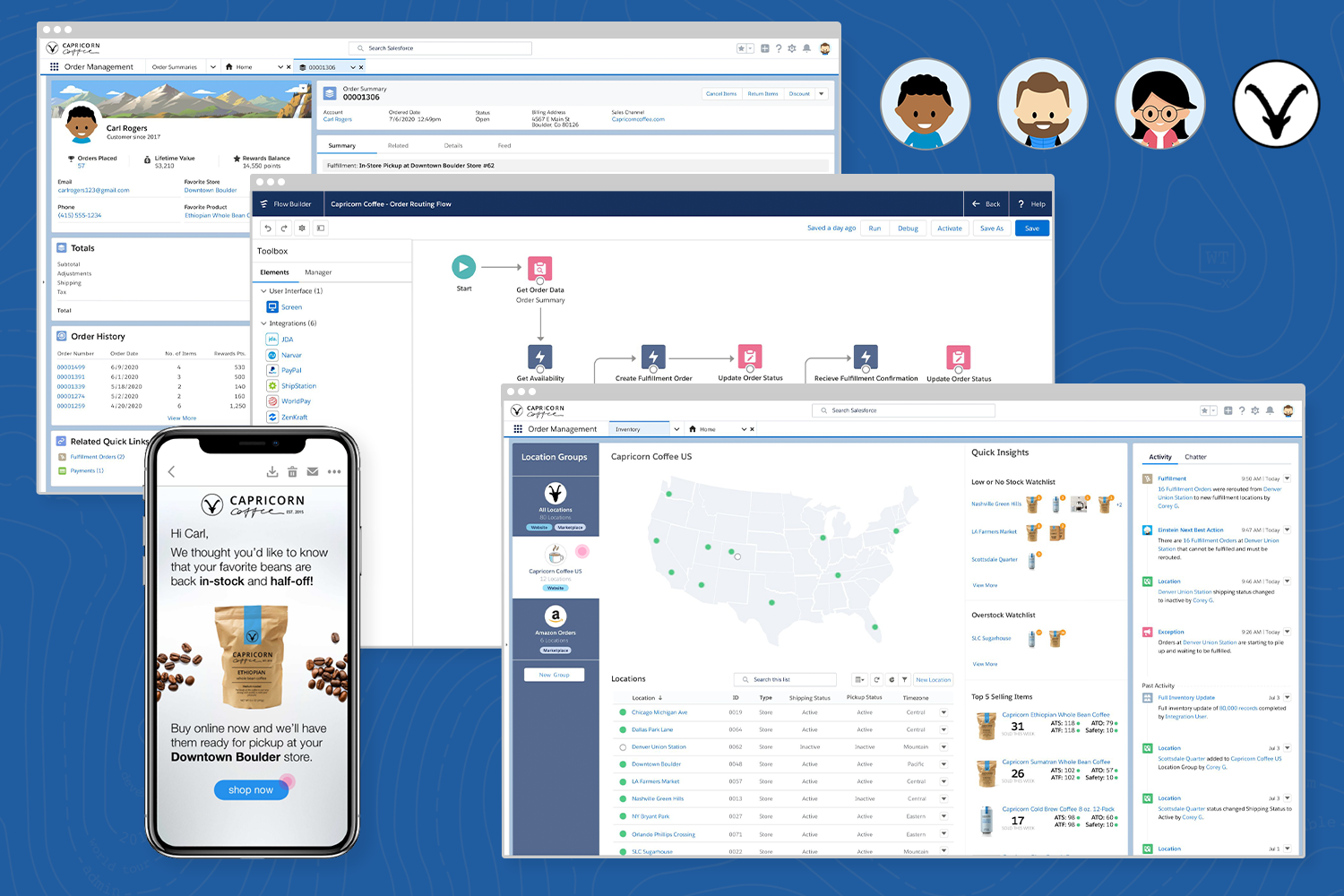
Salesforce: Distributed Order Management (Visionary)
A visionary look at what the future of Salesforce Order Management looks like.
testimonals
What People Are Saying About My Design Work
– Dan Schwartz, Enterprise Product Design and UX Leader
4C’s come to mind when I think of Daryn: Creative, Collaborative, Curious, Can-do. I’ve had the pleasure of knowing him for over 2 years on our Commerce Cloud team, during which time I was able to witness him evolve from visual designer to a product design lead. Above all, I was impressed with Daryn’s ability to tackle and solve any challenge that came his way with a postivive, always learning and growing, mentality. And, of course, he’s always building the coolest things at home that somehow always made their way into our design conversations. Daryn would be a true asset for any positions requiring a collaborative, creative, and delivery-oriented designer, and comes with my heartfelt recommendation.
– Cassy Funk, Principal Product Designer – Salesforce
The few years I was privileged enough to work with Daryn were the best years of my career. If I’m ever in the position to run my own company, I will be calling him up to join my team. Daryn’s got the design chops – from low fidelity to high fidelity visual design to illustration. Beyond those skills, Daryn has intangible soft skills that are exactly what any team wants and needs – he is positive, he has mastered sharing and receiving design critique, he’s eager to learn, he’s willing to roll up his sleeves and do what the team needs without seeking recognition, and he’s downright hilarious (don’t even get him started on the dad jokes). Daryn is one of those people who everyone on the team loves to work with. He’s pretty much awesome.
– Janie Hunter, Lead UX Designer – Salesforce
Daryn is a well-rounded designer. He uses his illustrative talents to his advantage and incorporates creative ideas into all of his work. He is also very detail conscious.
Daryn is very polite and professional to work with. He provides an experienced eye, and a detail oriented critique. I appreciate his experience and always use it to my advantage.
– Beth Belt, Project Lead and Designer and HARMAN International